Need a hand? Here are answers to the questions we hear most. If yours isn't here, email us at support@stackabees.com.
Contact us
Email: support@stackabees.com
We are a small studio and we read every message. We try to reply within a few working days, and we aim to reply within 14 days at most. Privacy and deletion requests are answered within the time the law where you live requires, and never later than 30 days.
To help us help you, please tell us:
- your phone or tablet model and its Android version;
- the game version, shown at the bottom of the game's Settings screen;
- what happened, and what you expected to happen (a screenshot can help).
Please don't include personal information about a child in your message.
Playing
How do I play?
Drag one of the three pieces from your tray onto the 9x9 board. When you fill a whole row or column, it clears and you score points. Clear lines on back-to-back moves to build combos and score even more. When none of your pieces fit anywhere on the board, the run ends and you see your results.
You can open the How to Play cards at any time from Settings, or from the Pause menu during a run.
Dragging is tricky. Is there an easier way?
Yes. Turn on Tap to Place in Settings. Then tap a piece, and tap the spot on the board where you want it to go.
What are boosters?
Boosters are three free helpers you can use during a run:
- Hammer removes one block from the board.
- Shuffle gives you new pieces.
- Hint shows you a good move.
Each booster can be used up to 3 times per run, using the booster buttons on the game screen. If you get stuck and no piece fits, a Need a Boost? panel may appear (at most twice per run) and offer you one. You can use a booster, or close the panel to finish the run.
Does Stackabees cost anything? Are there ads?
Stackabees is free to download. This version has no in-app purchases and no ads. Boosters and bonuses are free. If you see a Market screen marked "Coming Soon", nothing in it can be bought.
Do I need an internet connection?
No. Stackabees plays fully offline, so you can play anywhere, even in airplane mode.
What is the Daily Challenge?
Each day there is one goal to complete, such as "Clear 6 rows or columns". Complete it to earn bonus Collection Charge. The Daily Challenge screen shows when the next challenge will arrive. It is optional, and there are no streaks to lose.
Collectibles
How many collectibles are there?
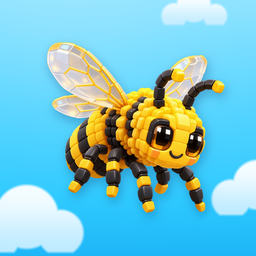
The Starter Collection has 15 collectibles: Dog, Apple, Monarch Butterfly, Steam Train, Saturn, Camera, Helper Robot, Dragon, Narwhal, Great White Shark, Honeybee, Turtle, Heart, Bottlenose Dolphin and Unicorn.
How do I unlock them?
By playing! Everything you do adds Collection Charge:
- +1 for each piece you place;
- +4 for each line you clear, with extra charge for clearing several lines at once;
- +15 for clearing the whole board;
- +8 for finishing a run;
- +20 for completing the Daily Challenge.
Every 50 charge unlocks your next collectible. On the results screen, the free Double It! bonus doubles the charge you earned in that run, once per run.
Are the collectibles random?
No. They always unlock in the same order, starting with the Dog and ending with the Unicorn. There are no random draws, and nothing can be bought.
Can I see my collectibles up close?
Yes. Open Collection, tap a collectible you have unlocked, then tap Inspect in 3D. Drag to turn it, and pinch to zoom. Each collectible also has its own short Discovery Memory.
What happens when I have collected all 15?
You'll see a celebration, and you can keep playing. Your scores, Collection Charge and Daily Challenges carry on as before.
Progress and devices
Where is my progress saved?
On your device. Stackabees has no account and no cloud save, so we never have a copy. If Android backup is turned on, Android may also keep a copy in your Google account.
My progress is gone. Can you get it back?
We're sorry, but we can't, because we never have a copy of your progress. Progress is usually lost when the game's storage was cleared, the game was uninstalled, or the device was reset or replaced.
Stackabees keeps a backup copy of its save on your device and uses it automatically if the main save file gets damaged. If Android backup was turned on, reinstalling the game while signed in to the same Google account may bring your progress back, if Android made a backup.
I'm getting a new phone. Can I bring my progress?
There is no account to sign in to. If Android backup is turned on for your Google account, Android may restore your progress when you set up the new phone with the same Google account and install Stackabees. Some phone transfer tools also copy app data. We can't guarantee this, and we can't move your progress for you.
The game closed in the middle of a run. Did I lose it?
Usually not. Your run in progress is saved, and it comes back paused when you open the game again.
Can brothers and sisters have separate progress?
Stackabees keeps one set of progress per device. If your device supports separate user profiles, each profile has its own progress.
Which devices does Stackabees work on?
Stackabees is for Android devices running Android 8.0 or newer. Google Play shows whether your device is supported. It is currently available only on Android, and it may not be offered in every country.
How do I start over?
There is no reset button inside the game, so progress can't be erased by accident. To start fresh, clear the game's storage in your device settings. Our Delete Your Data page shows the steps.
Settings
How do I turn off the music, sounds or vibration?
Open Settings (from the Home screen, or from the Pause menu during a run). Under Sound & Haptics, switch Music, Sound Effects or Haptics on or off.
The game feels too busy or too bright. What can I change?
Under Accessibility in Settings:
- Reduced Motion: fewer animations and less movement on screen;
- Reduced Sensory: softer flashes, fewer sparkles, gentler vibration and quieter celebration sounds;
- High Contrast: a clearer board grid and bolder text.
These settings never change your score or rewards.
Can I change the language?
Stackabees is in English for now.
Can I change my player name?
No. Everyone plays as "Explorer". There is nowhere to type in the game, so no personal information is ever entered.
Privacy and safety
Does Stackabees collect my data?
No. The game doesn't collect personal information, and the game itself doesn't send anything from your device to us or to anyone else. Read our Privacy Policy.
Is Stackabees OK for children?
Stackabees is made for families and designed for ages 6 and up. Our For Parents page explains everything a parent might want to know.
How do I delete my data?
See Delete Your Data.
Studio Salma is in Saudi Arabia. Which country's laws protect me?
Your own country's. Studio Salma is based in the Kingdom of Saudi Arabia, but Stackabees is played all over the world:
- If you play for personal reasons, the law of the place where you live applies to our Terms of Use, and you can go to your local courts. We never force anyone into arbitration. See sections 2, 17 and 18 of our Terms of Use.
- The privacy laws of your own country also protect you. Section 13 of our Privacy Policy explains your rights and lists the data protection authority for each country.
Still need help?
Email support@stackabees.com and we'll do our best to help. Please also see our Terms of Use.
Stackabees is made by Studio Salma.