Thinking about Stackabees for your family? This page explains what the game is, what is in it and what is not, and how to adjust it for your child. It describes the current version of Stackabees for Android.
At a glance
| Type of game | Block puzzle with a collection to unlock |
|---|---|
| Designed for | Ages 6 and up, and the whole family |
| Ads | None |
| In-app purchases | None |
| Accounts or sign-in | None |
| Chat or contact with other players | None |
| Internet needed | No. It plays fully offline |
| Personal information collected | None |
| Permissions | Vibration only, for haptics (can be switched off) |
What is Stackabees?
Stackabees is a calm, colourful block puzzle set in a world of floating voxel islands.
- Players drag pieces from a tray of three onto a 9x9 board. Filling a whole row or column clears it.
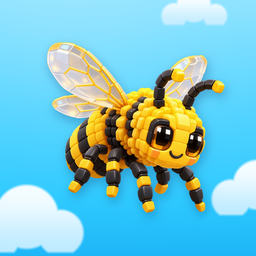
- Every piece placed and every line cleared adds Collection Charge. Every 50 charge unlocks the next of 15 collectibles: Dog, Apple, Monarch Butterfly, Steam Train, Saturn, Camera, Helper Robot, Dragon, Narwhal, Great White Shark, Honeybee, Turtle, Heart, Bottlenose Dolphin and Unicorn.
- Each collectible is a 3D model that children can turn and zoom, with a short "Discovery Memory" to read.
- A Daily Challenge sets one simple goal a day for bonus charge, and a Profile shows stats such as best score, plus badges.
- A run ends when none of the pieces fit on the board. A results screen then shows the score and the charge earned, and a new run is one tap away.
Is it suitable for my child?
- Designed for ages 6 and up. The game uses some reading, such as daily goals ("Clear 6 rows or columns"), booster names and settings, so younger players may enjoy it more with a little help. It is not designed for children aged 5 and under.
- Gentle content. No violence, scary scenes or bad language. The Dragon and the Great White Shark are friendly-looking models resting on their islands, and nothing in the game fights or gets hurt. The "Hammer" booster simply removes a block from the puzzle board.
- No random rewards and no gambling-like features. Collectibles always unlock in the same fixed order, and nothing can be bought. There are no loot boxes, spins or mystery prizes.
- The official age rating is shown on the game's Google Play listing.
What is not in the game
- No ads. This version has no advertising and no advertising software.
- No in-app purchases. Nothing can be bought. If you see a Market screen marked "Coming Soon", nothing in it can be bought.
- No accounts or sign-in. Everyone plays as "Explorer". There is nowhere to type a name or anything else.
- No chat, social features or shared content. Players can't contact each other.
- No links out of the game. There is no web browser and there are no links to websites, so a child can't wander from the game onto the internet. The privacy policy can be read inside the game, offline, under Settings > Privacy.
- No notifications.
- No location, camera, microphone, contacts or photos.
- No analytics or tracking.
If a future version ever changes any of this, for example by adding ads or purchases, we will update our Privacy Policy and the Google Play listing before that version is released, and say so in the update's release notes. Google Play also shows labels such as "Contains ads" or "In-app purchases" on apps that have them.
Privacy in plain words
Stackabees doesn't collect personal information from anyone, including children, and the game itself doesn't send anything from your device to us or to anyone else. Progress and settings are saved on your device. If Android backup is turned on, Android may include the saved game in the backup it keeps in your Google account. Read the full Privacy Policy.
Your rights, wherever you live
Stackabees is made by Studio Salma, an independent developer based in the Kingdom of Saudi Arabia, and families play it all over the world. Wherever you live:
- Your consumer rights stay yours. If you play for personal reasons, the law of the place where you live applies to our Terms of Use, and you can go to your local courts. We never force anyone into arbitration. See sections 2 and 17 of our Terms of Use.
- Your privacy rights stay yours. You can ask us what we hold about your child, ask us to delete it, or complain to the data protection authority where you live. We answer within the time the law where you live requires, and never later than 30 days. Section 13 of our Privacy Policy lists the rights and the authorities country by country.
- Nothing is asked of your child. We never ask a child to give up a right, and we never ask anyone for their age.
Designed with screen time in mind
- No timers on moves. Children can think for as long as they like.
- Pause any time. The pause button stops the game. If the game is closed in the middle of a run, the run is saved and comes back paused.
- No streaks to lose. The Daily Challenge is optional, and missing a day costs nothing.
- No notifications. The game never sends reminders or messages outside the app. After today's Daily Challenge, it only mentions that a new one arrives tomorrow.
- Natural stopping points. Each run ends on its own when no piece fits, followed by a results screen, which makes a good moment to stop.
- No pressure tactics. When a player gets stuck, the game may offer a free booster (at most twice per run). There is no countdown, and the offer can simply be closed.
Tip: many Android devices include tools such as Digital Wellbeing, and Google Family Link lets parents set daily time limits for apps.
Settings you can adjust
Open Settings from the Home screen, or tap Pause during a run and choose Settings. Changes apply straight away and are saved on the device. None of these settings affect scores or rewards.
Sound & Haptics (all on when the game is first installed)
- Music: turns the background music on or off.
- Sound Effects: turns game sounds on or off.
- Haptics: turns the small vibrations during play on or off.
Accessibility (all off when the game is first installed)
- Tap to Place: tap a piece, then tap the board where it should go, instead of dragging. Helpful for small hands or anyone who finds dragging tricky.
- Reduced Motion: fewer animations and less movement on screen. Screens switch instantly and the background is calmer.
- Reduced Sensory: softer flashes and glows, fewer sparkles and particles, gentler vibration and quieter celebration sounds.
- High Contrast: a clearer board grid and bolder text that is easier to see.
Language: English for now.
The How to Play cards can be opened at any time from Settings or from the Pause menu.
How to reset progress
There is no reset button inside the game, so a child can't erase their progress by accident. To start over:
- Open your device's Settings app.
- Go to Apps (on some devices: Apps & notifications), then Stackabees.
- Tap Storage (or Storage & cache).
- Tap Clear storage (on some devices: Clear data).
This erases all progress, collectibles, stats and settings on that device, and it can't be undone. Uninstalling the game also deletes them. Our Delete Your Data page has more detail, including Android backup.
Sharing a device? Stackabees keeps one set of progress per device, so siblings sharing a phone or tablet share the same progress. If your device supports separate user profiles, each profile has its own progress.
Playing safely
A very small number of people can react to flashing lights or patterns. If your child has epilepsy, or has had a reaction like this, talk to a doctor before they play. The Reduced Motion and Reduced Sensory settings make the game calmer. See our Terms of Use for more.
Questions?
Email us at support@stackabees.com. Please don't include your child's personal information in your message. You can also check our Help & FAQ.
Stackabees is made by Studio Salma.